Mascot
Meet the builder
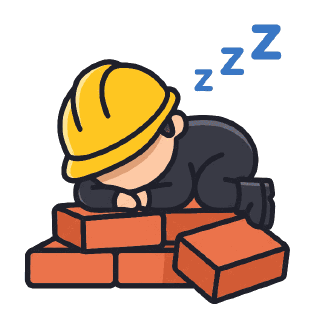
Section titled “Meet the builder”The builder wears a yellow hard hat and a dark suit, and is fast asleep face-down on a half-built brick wall, three zzz floating up. It’s the name, drawn: nobody builds.
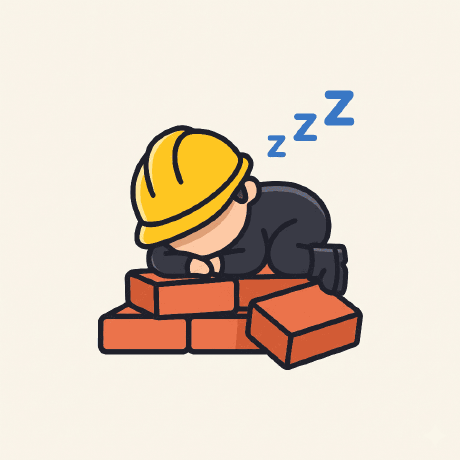
Every file is in mascot/, cut from
the Nobody Builds avatar. Nothing was redrawn.
| Folder | What it is | Use it for |
|---|---|---|
mascot/ |
The builder, cut out of its cream background, transparent PNG | Light surfaces, docs, the website, stickers |
mascot/dark/ |
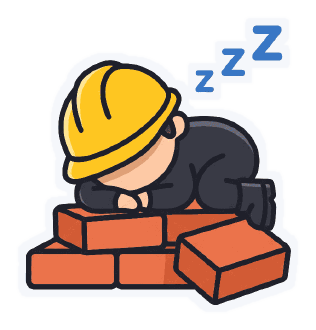
The builder for dark surfaces, with a thin Paper sticker border | Night Shift and the dark theme’s panels only |
mascot/original/ |
The original avatar, byte for byte, on its original cream square | Editing and new exports: nothing is lost |
On dark surfaces, the builder’s thick dark outline and suit almost disappear against Night Shift, so use
the file from dark/: its Paper die-cut border keeps the builder readable, and the art inside is untouched.
On Paper, white and the light brand colours, use the plain file.
Why a builder asleep on the job
Section titled “Why a builder asleep on the job”The name is a dare: nobody builds. The mascot answers it with a straight face.
| What the builder does | What it says about Nobody Builds |
|---|---|
| Fell asleep on the job. | We don’t take ourselves too seriously. |
| On a wall that’s already half built. | The work is real, and it’s started. |
| Still wearing the hard hat. | Even resting, ready to build. |
| Sleeps on the bricks, not in a bed. | Close to the work. Hands-on, not hands-off. |
Colour
Section titled “Colour”The brand colours come from the builder: Blueprint from the zzz, Hard Hat from the hat, Brick from the wall. Paper is a cooler, daylight take on the drawing’s cream background. The skin tone, the suit greys and the shading on the bricks belong to the artwork; don’t reuse them as UI colours.
Animation
Section titled “Animation”Where the builder shows up
Section titled “Where the builder shows up”The builder is the logo and the mascot, so the difference is in how it’s used.
| As the mascot, on its own | As the logo, with the wordmark or the app tile |
|---|---|
| Empty states, onboarding, loading, success, 404 and error pages | The site header, favicon and app icon |
| The website hero, docs, social posts | Legal pages and formal documents |
| Stickers, merch and event signage | Anywhere the brand must be identified |
The builder counts as the layout’s one bold moment.
Keep the builder intact
Section titled “Keep the builder intact”- Don’t recolour, filter or redraw the builder. Use these files as they are.
- Don’t stretch, skew or mirror it.
- Don’t add effects such as shadows, glows, gradients or outlines. The one exception is the Paper
sticker border of the approved
dark/file; don’t draw your own. - Don’t wake the builder up with an edit, or give it a different pose. New poses need new artwork.
- Don’t scale up the PNGs. 280 px tall is the largest the builder gets.
- Keep clear space of a quarter of the builder’s height on every side.
- Use the
dark/file on dark surfaces.